STAY CONNECTED. STAY ON TRACK. VIVE FITNESS 24/7 APP
Get Revived! with the Vive Fitness 24/7 App! Enjoy the freedom of keyless entry, schedule your classes ahead of time, and effortlessly monitor your session balance. Take full control of your fitness experience, maximize your time, and stay motivated on your path to results!
- Access digital membership pass
- Enroll in classes
- Book appointments and view session balance


Vive Fitness App FAQs
Vive Fitness has introduced digital QR access passes to make entering the club easier, safer, and more convenient without the hassle of carrying a physical access card. QR passes help us manage member check-ins, reduce unauthorized access, and prevent overcrowding. This helps ensure that active members can access the club smoothly while enjoying a safer and more comfortable workout environment.
Please double-check that you are looking in the correct email inbox, and take a quick look in your junk or spam folder in case the invitation was filtered there. If you still have not received your app invite, please email support@vivefitness.com and our team will be happy to resend it for you.
If you were previously a Vive Fitness member, you may need to use a different email address when setting up your app access.
If you are not sure which email address you used when you originally signed up, or if you would like help updating your account or checking your existing profile, please contact us at support@vivefitness.com .
Please make sure your phone and the Vive Fitness app are both up to date by visiting the App Store or Google Play Store .
If you are still unable to log in, try resetting your username or password through the app. If the issue continues, please call 647.537.8483 or email support@vivefitness.com .
-
Ensure your screen brightness is turned up and hold your phone in landscape
view so the QR code lines up correctly with the scanner.
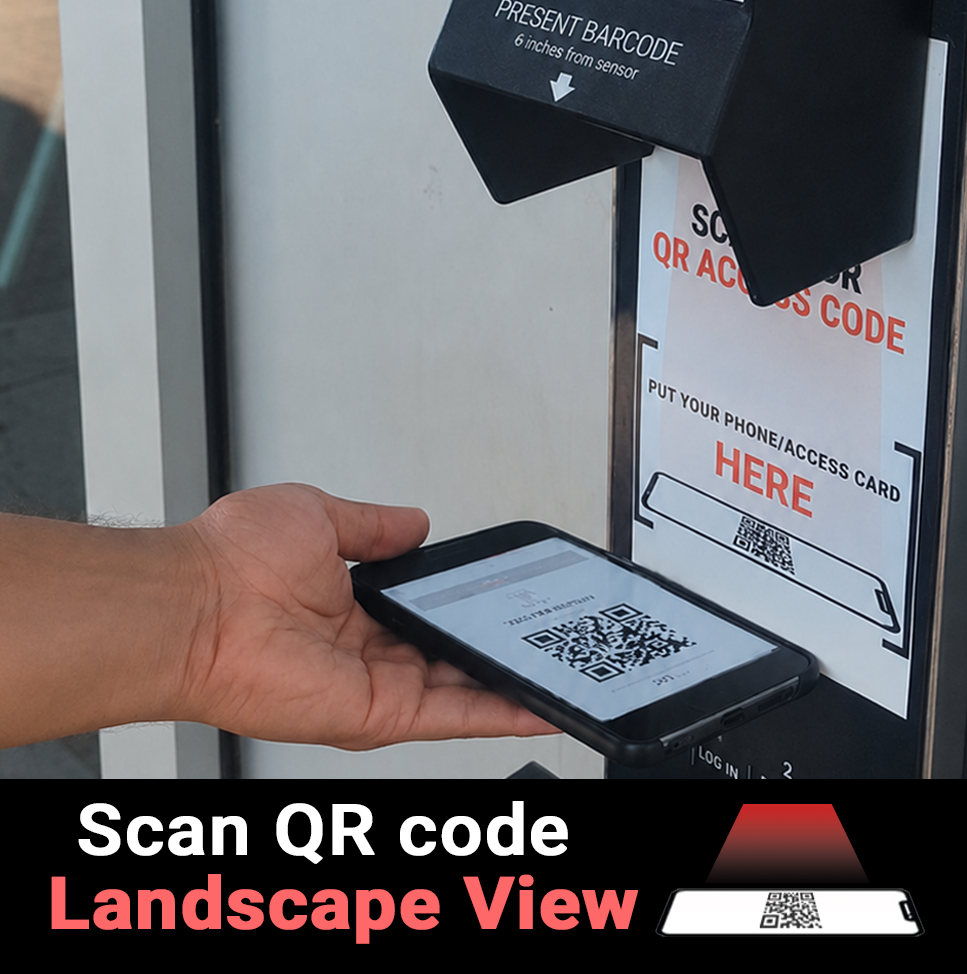
- Check that your membership account is active and that there are no past-due payments in the app. An outstanding balance may temporarily affect club access.
- If you have a privacy screen protector it will limit side-angle visibility, which might make it harder for the scanner to read your QR code. To ensure a smooth scan, hold your phone in landscape, increase your screen brightness, adjust the angles and avoid any glares. If you still have trouble temporarily remove the privacy screen protector.
- Make sure your app is updated and that the QR code is clearly visible on your screen.
If your account is up to date and you are still having issues, please call 647.537.8483 or email support@vivefitness.com .
Please buzz the front desk during staffed hours and provide your ID and membership information, along with letting the team know that you have forgotten your phone. You can also call 647.537.8483 for assistance. Our team will be happy to verify your membership and help you access the gym.
Your QR access code is connected to your active membership and helps us confirm that each person entering the club has valid access.